Every set. Every race.
One season.
The swim training log for iPhone. Type sets in coach shorthand, scan the whiteboard, and keep your practice, race results and season in one record.
iPhone, iOS 18+ · Subscription required · Trial where eligible
Works offlineNo ads, never soldLocal-first
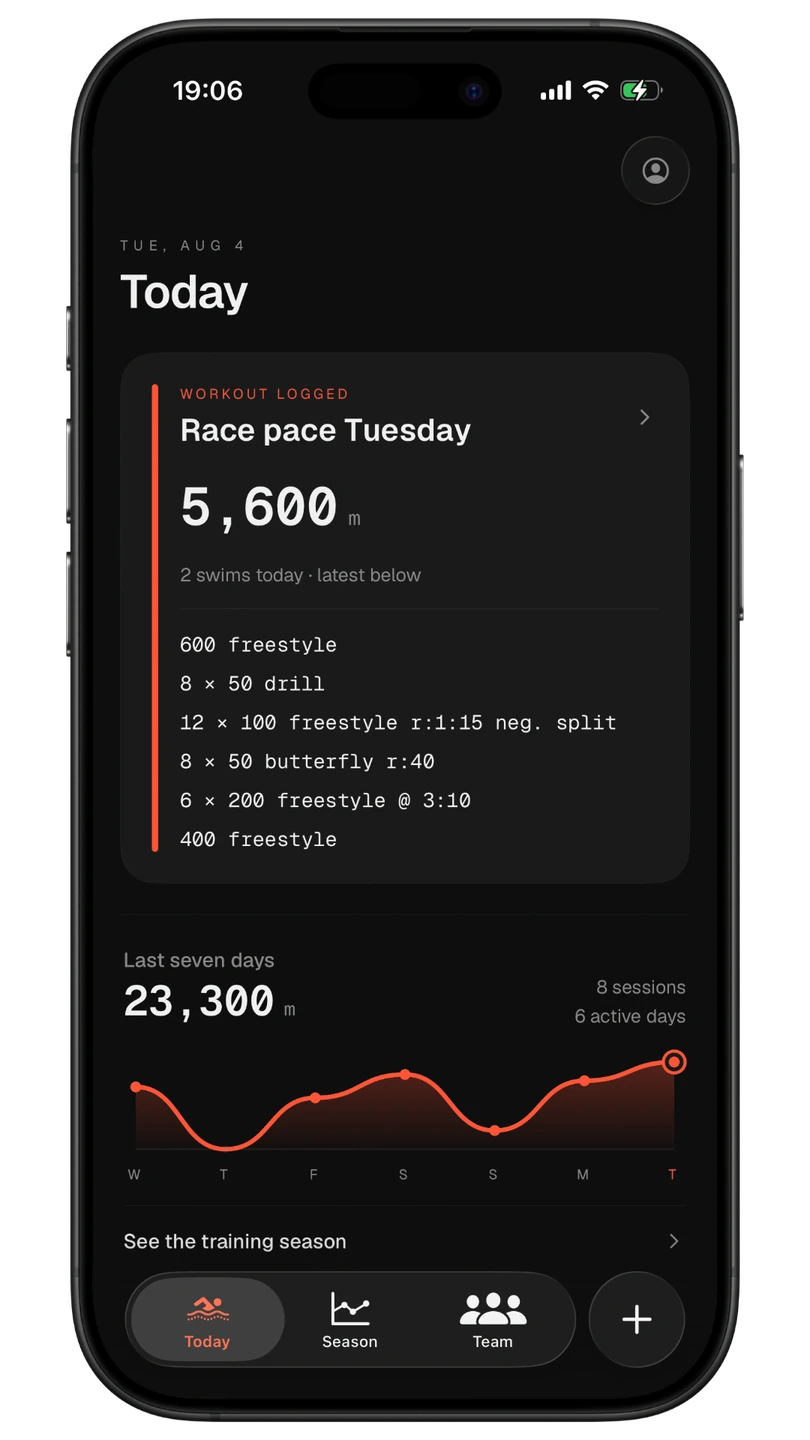
Start with the work you did today
Every set stays readable. Your last seven days stay in sight.
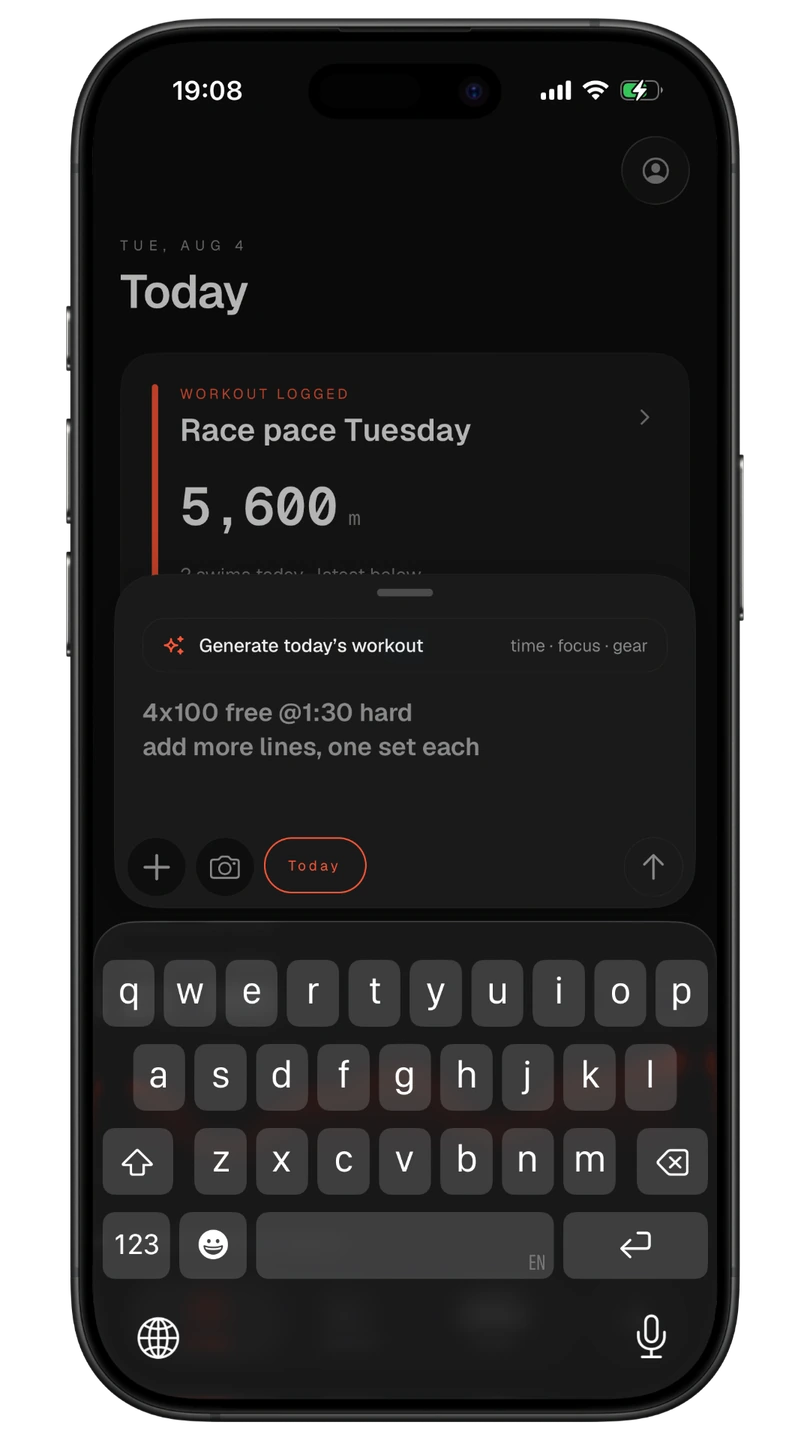
Capture the workout your way
Type sets or scan the board, then review the draft.
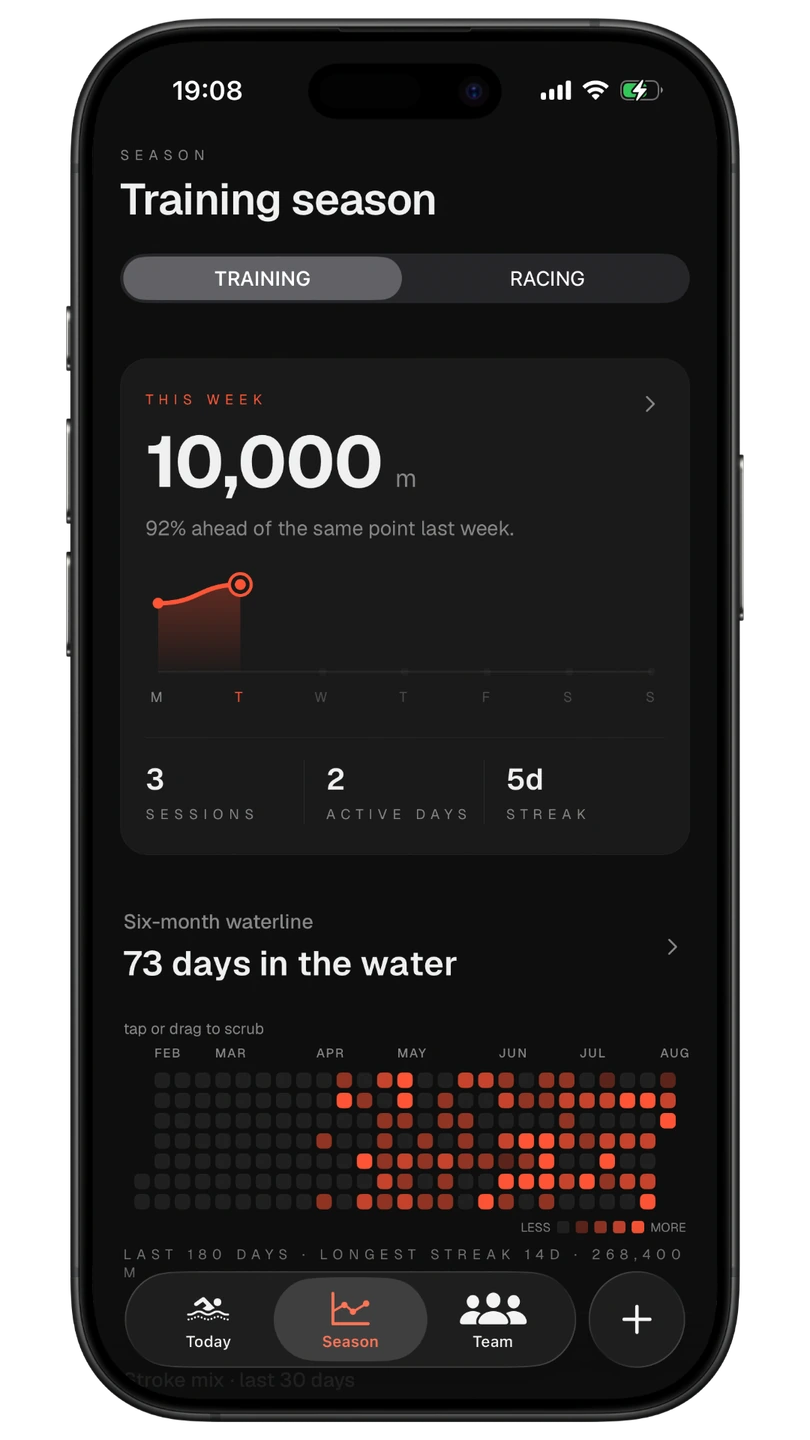
Watch the season take shape
This week, six months and every day you got in the water.
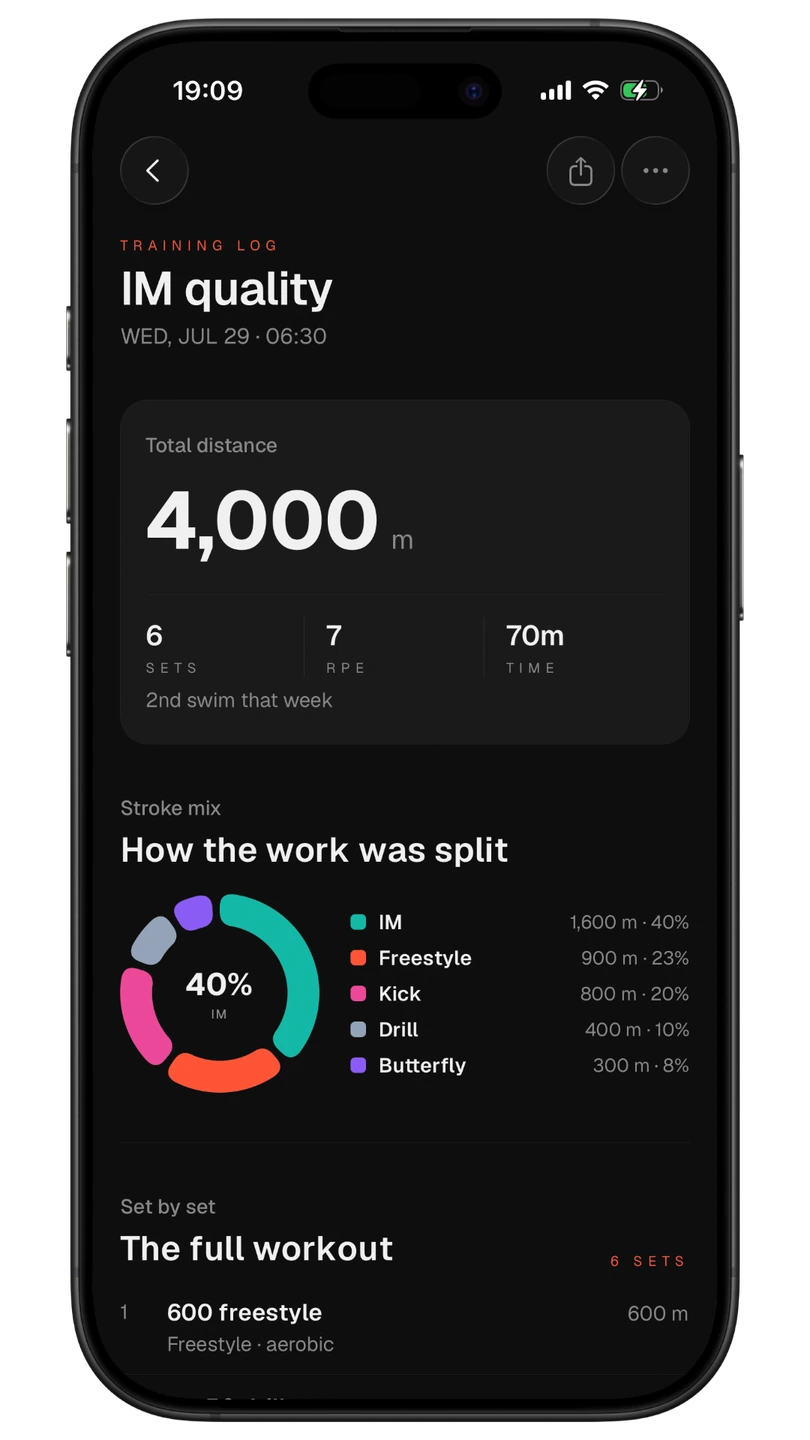
Open the full story of a swim
Distance, effort, stroke mix and every set — all in one receipt.
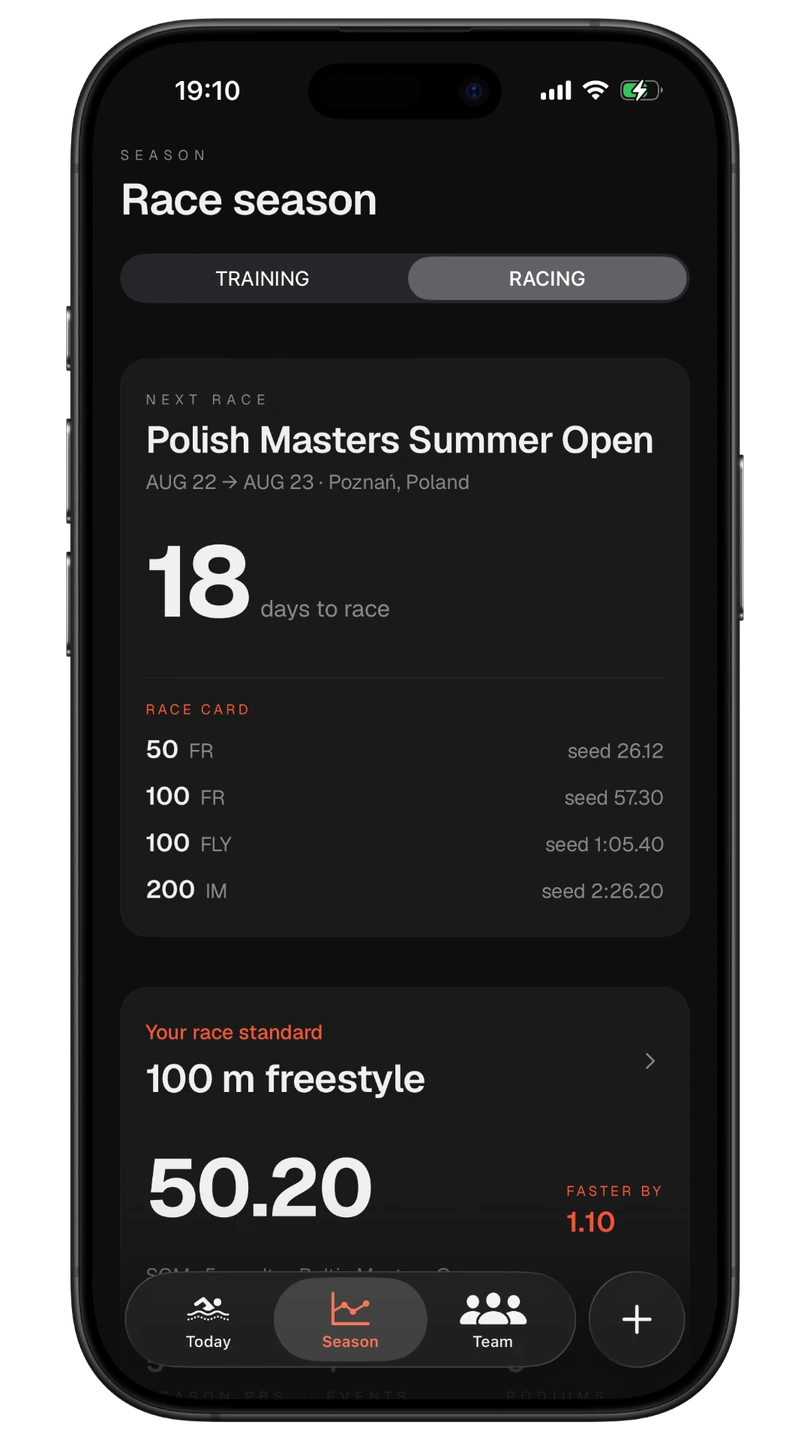
Walk into race day ready
Keep the meet, every event and your race standard close.
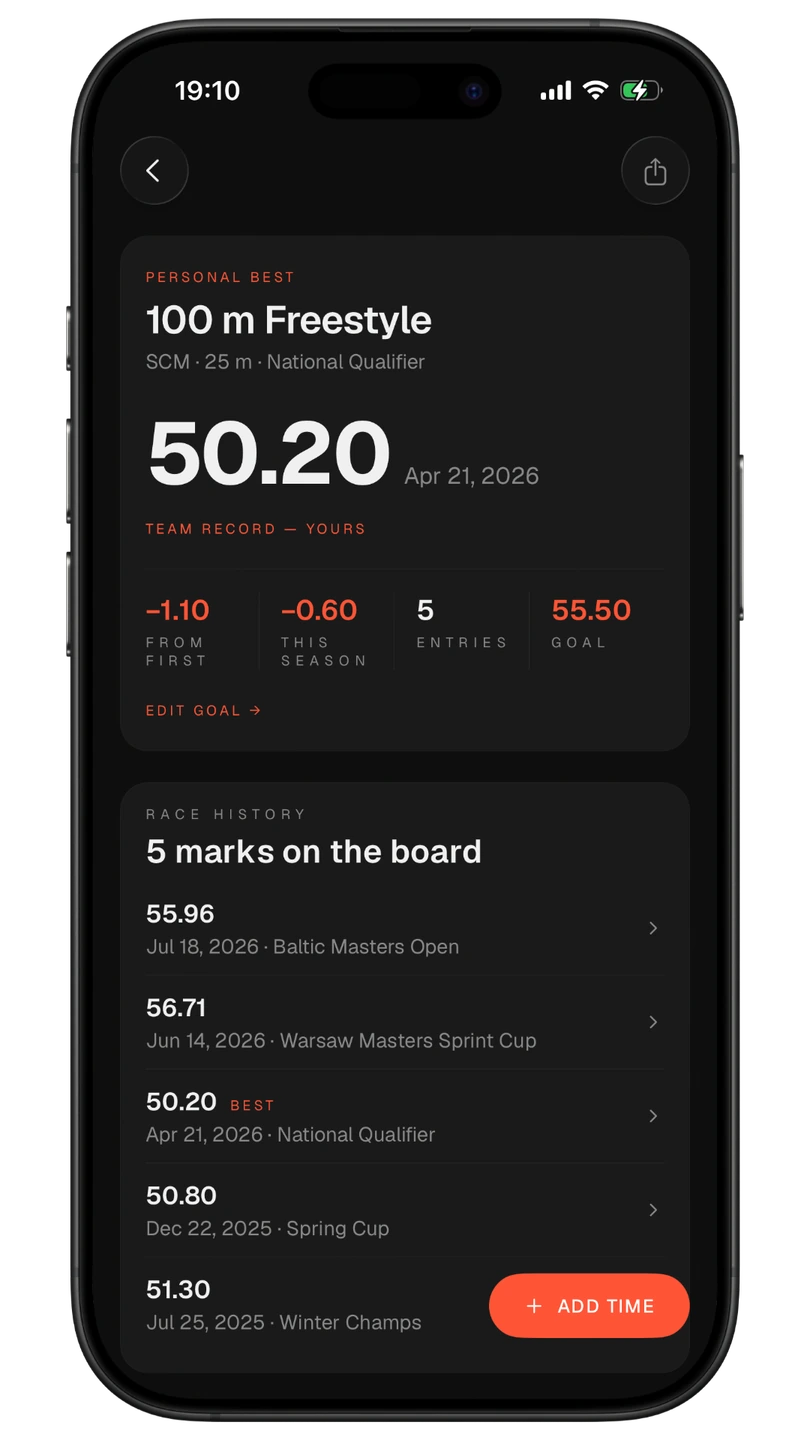
Own every best time
See every mark, every drop and the goal you’re chasing next.
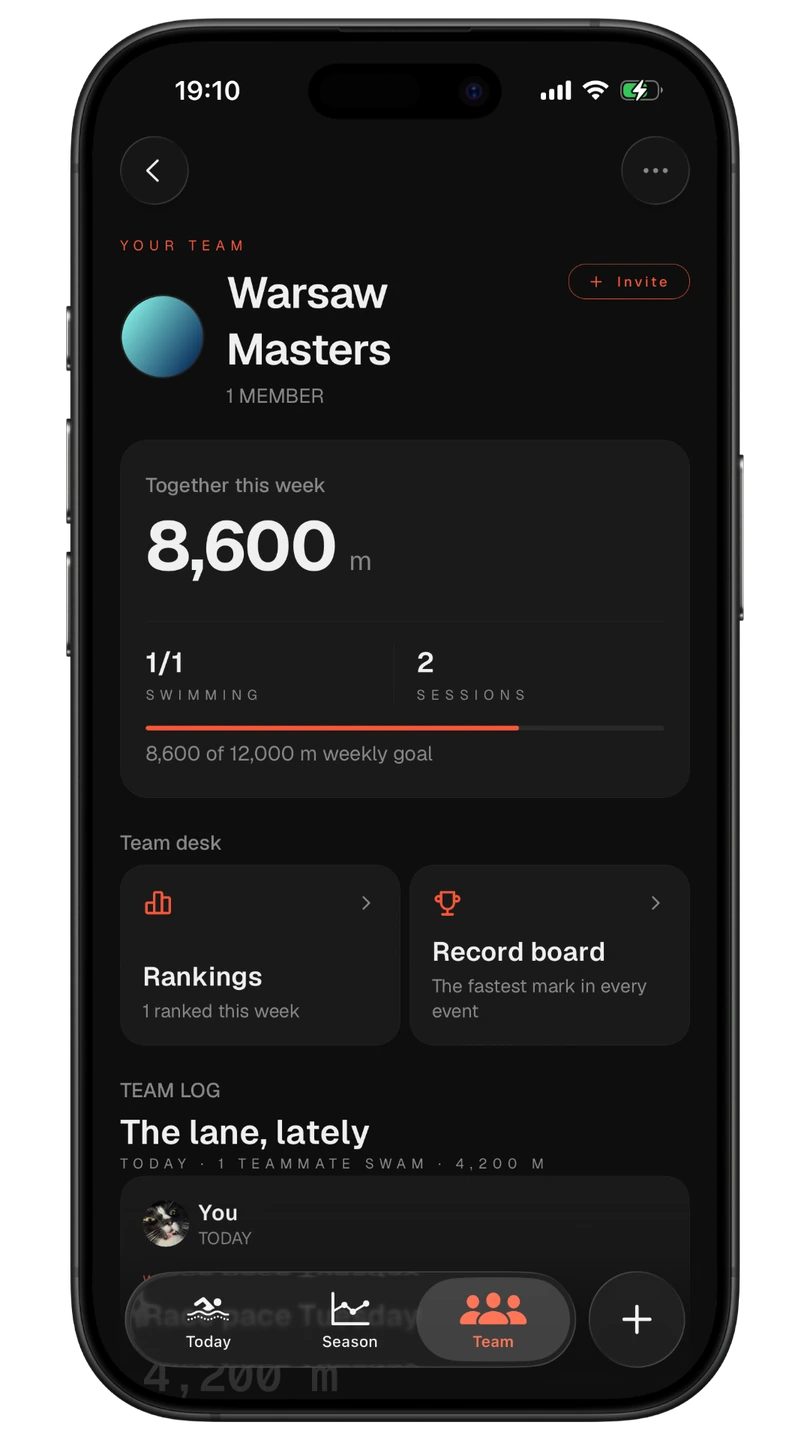
Bring the whole lane with you
Share practice through the Team Log, volume, reactions and comments.
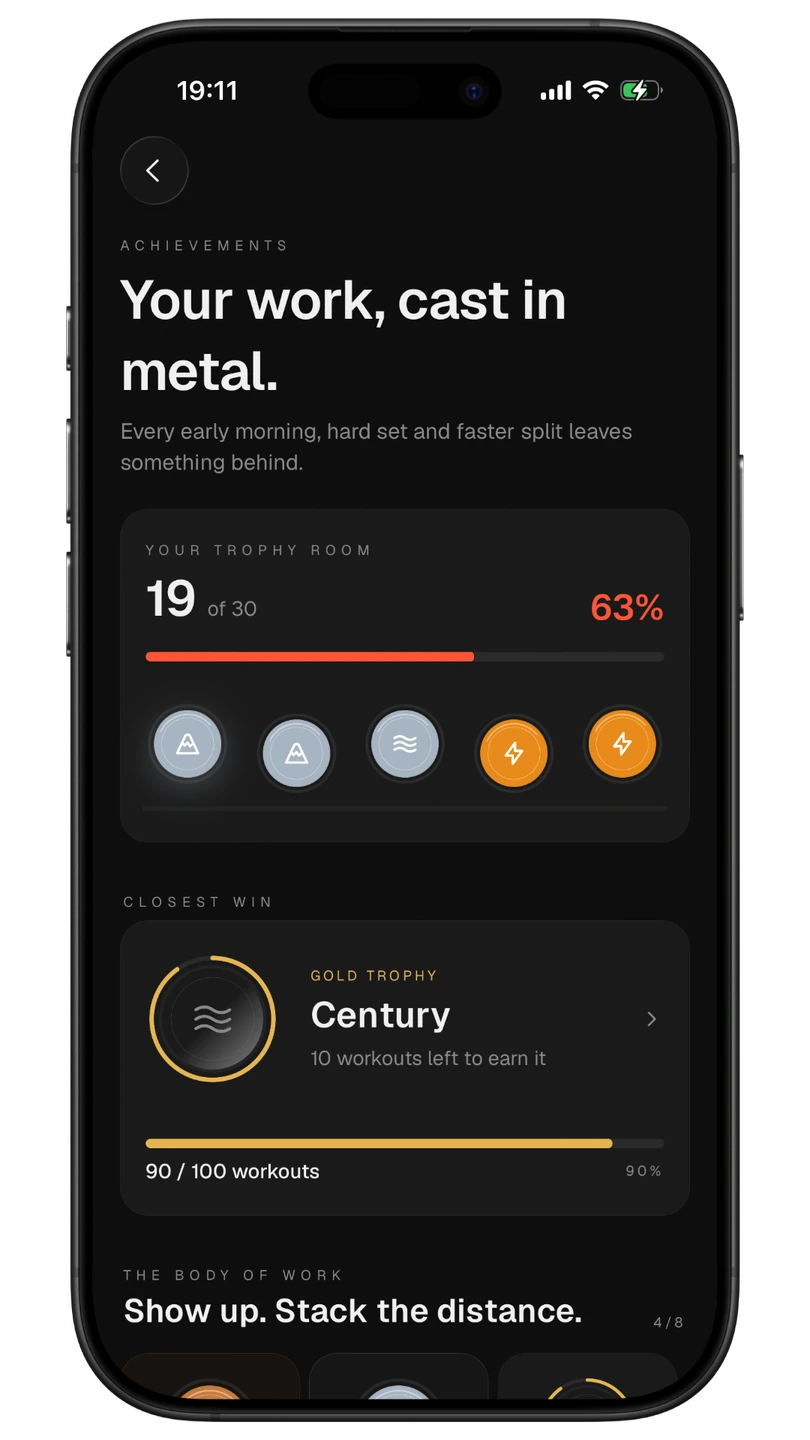
Make the work mean something
Turn consistency, speed and distance into trophies you earned.
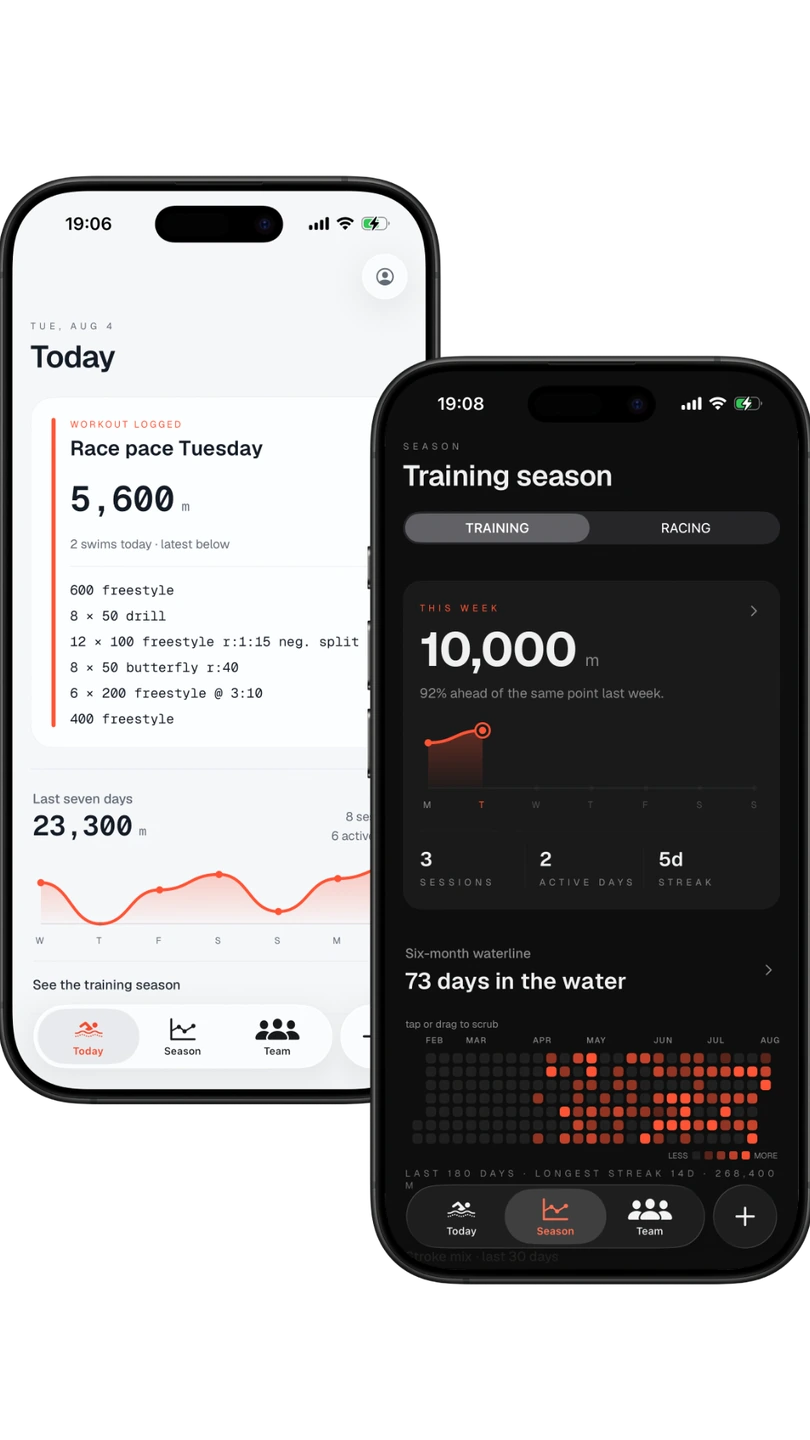
Your whole swim life, one record
Training, racing and team life — built for light and dark.
Training, racing and team life.
One record.
Start with today’s workout. Follow the season taking shape. Keep race marks, meets, teammates and the milestones that made the work matter.
Log like a swimmer
Type “4×100 free @1:30 hard” or build every rep, stroke, send-off, piece of gear and RPE by hand.
Import Apple Health pool swims
Bring compatible Apple Watch swims into your log: 25 yd, 25 m and 50 m pools, with read-only Apple Health access.
Scan the whiteboard
Photograph the coach's board — AI reads it into sets you review before logging.
See your season take shape
Follow this week, six months and your year in the water — with volume, consistency and stroke mix in view.
Keep every swim readable
Open a clean workout receipt, see every set, then search your full history by title, stroke, note or date.
Own your race season
Keep a record board, race calendar, meet entries and every mark that moved your best time forward.
Time it on deck
Time a swim right from the deck, capture laps, and save a result straight to your PBs.
Train with your team
Share practice through a chronological Team Log and shared volume, with reactions and comments from your lane.
Build a trophy room
Earn collectible trophies for volume, distance, consistency and speed, each derived from what you really swam.
Keep it on your Home Screen
Today, Training and Next Meet widgets put the right glance on your Home or Lock Screen.
Share the moment
Turn a workout, PB or lifetime milestone into a clean image card made for stories and chats.
Your Swimlog Story
Revisit the distance, signature stroke, longest swim and streaks that shaped your time in the water.
Sport-native
Speaks swimming fluently
SCY · SCM · LCM
Native units, honest mixed-pool totals.
Intervals & IM splits
Send-offs, equipment, and auto-split IM reps.
Type it or scan it
Plain-text shorthand, structured fields, or a photo of the board.
Dark & Light themes
Two calm, high-contrast UIs tuned to read on deck.
Local-first by design.
Swimlog keeps your log on your phone and asks for nothing it doesn't need. Every save lands on your device first — the cloud just keeps it backed up and in step across your devices.
Lives on your device
Core logging saves to your phone instantly and works offline. Scanning and cloud sync need a connection.
Backed up automatically
Your log backs up to the cloud in the background and stays in sync across every device signed in to your account.
Yours to delete
Delete your account in-app and your data is permanently wiped — on our servers and on your device alike.
Built around your practice
Get to know Swimlog: Pool Tracker
For competitive, college, masters and committed swimmers. Capture the session your coach gave you, keep the full set list and follow the work across a season.
Swimlog: Pool Tracker is developed by Edward Baltaza, App Store id 6775411816. It is separate from SwimLog - Swimming Assistant, the Apple Watch analytics app by a different publisher. About this Swimlog.
Questions, answered
What is Swimlog: Pool Tracker?
Swimlog: Pool Tracker is the swim training log at swimlog.dev for competitive, college, masters and committed swimmers. It is developed by Edward Baltaza for iPhone on iOS 18 or later, App Store id 6775411816. Type coach shorthand, scan whiteboards, review editable sets and keep training, racing and team practice in one log.
Can I import Apple Watch swims?
Swimlog imports compatible Apple Watch and other HealthKit pool swims through Apple Health for 25 yd, 25 m and 50 m pools. Access is optional and read-only: workout distance, duration, laps, strokes and timing, with no heart rate, calories, routes or open-water workouts and no writes to Apple Health.
How much does Swimlog cost?
Swimlog Pro requires a monthly or yearly subscription after account setup. Eligible users may receive a 7-day free trial. Prices and eligibility are shown before purchase. Manage or cancel subscriptions in App Store account settings.
Do I need an account?
Yes — a quick email sign-up or Sign in with Apple, so your log belongs to you, stays backed up, and can move between your devices. And it's yours to take away: deleting your account wipes your data from our servers and your device alike.
Does it work offline?
Core logging works offline: every set saves to your phone and cloud sync catches up when you reconnect. Whiteboard scanning, account setup and team updates need a connection.
How does the whiteboard scan work?
Tap the camera in the capture bar and photograph the coach's board — or pick a photo from your library. AI reads the board into shorthand sets that appear in your draft for review; anything it can't read lands in your notes, and nothing is logged until you tap LOG. Photos are downscaled and stripped of location data before they're processed, and scans have a fair-use daily limit.
How does shorthand capture work?
Type a set such as 4x100 free @1:30 and review the structured draft. Check repetitions, distances, strokes and send-offs, edit the details and save only what you actually swam. You can also build and edit sets directly.
Do you track me or show ads?
No ads, ever — and no ad trackers, no advertising identifiers, and we never sell your data. Beyond its own secure backend (Supabase) for sign-in and sync, the public App Store release uses a little privacy-respecting, first-party analytics and crash reporting (Sentry and PostHog, both EU-hosted) so we can fix bugs and make the app better. PostHog is disabled in TestFlight and never records screens, touches, or anything you type. It's never used for advertising, and you can opt out by emailing us. Full details are in the privacy policy.
What can my teammates see?
Only if you join a team — that's the whole decision. Teammates can see shared training volume and your swims in the chronological Team Log, where they can leave a reaction or a comment. Your email is never shared, you can block or report anyone, and leaving the team stops the sharing.
When does Swimlog ask for notifications?
Only if you enable reminders. Weekly digest and streak notifications are optional, off by default, and scheduled locally by your phone — Swimlog does not send their content to a push server.
Can I delete my account and data?
Any time, right inside the app, under Profile → Delete account. It permanently removes your data from our servers and wipes everything stored on your device — no email request needed.
Which pools and strokes does it support?
Short-course yards (SCY), short-course metres (SCM) and long-course metres (LCM); all four strokes plus IM. Each workout is stored in its native unit and only converted for display, so mixed-pool totals stay honest.
Still curious? Read the privacy policy or visit support.
Put your season on the board.
Swimlog: Pool Tracker is available for iPhone on iOS 18 and later. A monthly or yearly Swimlog Pro subscription is required; eligible users may receive a 7-day free trial.